
Azure Cloud Computing
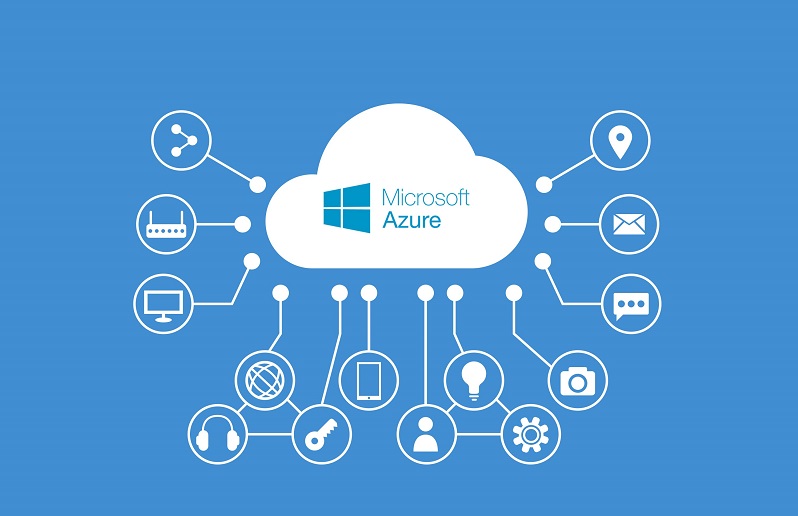
Azure is a cloud computing platform and infrastructure
created by Microsoft. Azure cloud computing is a type of computing that relies
on a network of remote servers to store, manage, and process data, rather than
a local server or personal computer. It provides software as a service (SaaS),
platform as a service (PaaS), and infrastructure as a service (IaaS).
Azure was announced in October 2008 and released on February
1, 2010, as Windows Azure, before being renamed to Microsoft Azure on March 25,
2014. Azure is one of the leading cloud platforms, offering a wide variety of
services including computing, storage, networking, and analytics. In addition,
Azure offers many other services such as machine learning, IoT, and mobile app
development. It's a more efficient way to use resources, and it's a great
option for businesses or organizations that have outgrown their on-premises
infrastructure.
The cloud is a versatile platform that can be used for a
variety of workloads, including web and mobile applications, data storage,
backup and disaster recovery, and big data analytics. And because it's hosted
in the cloud, you can access your data and applications from anywhere, at any
time. There are many cloud providers to choose from, but Microsoft Azure is a
leading option for businesses of all sizes.
Azure offers a comprehensive set of cloud services that are
easy to use and manage, and it provides a wide range of tools and services to
help you get the most out of the cloud. If you're considering moving to the
cloud, or if you're just curious about what it has to offer, here's a closer
look at Microsoft Azure and how it can help your business. Microsoft Azure is a
cloud computing platform that enables businesses to build, deploy, and manage applications
and services in a secure and scalable environment via a global network of data
centers run by Microsoft. Azure offers several features and services that make
it an attractive option for businesses of all sizes. Azure is a flexible and
versatile platform that can be used for a variety of workloads. And because
it's hosted in the cloud, you can access your data and applications from
anywhere, at any time.

Azure is one of the leading cloud platforms, along with
Amazon Web Services (AWS) and Google Cloud Platform (GCP). Azure offers a
variety of services, including computing, storage, networking, and analytics.
It also provides a range of tools and services for developers, such as Azure
DevOps, Azure Active Directory, and Azure IoT.
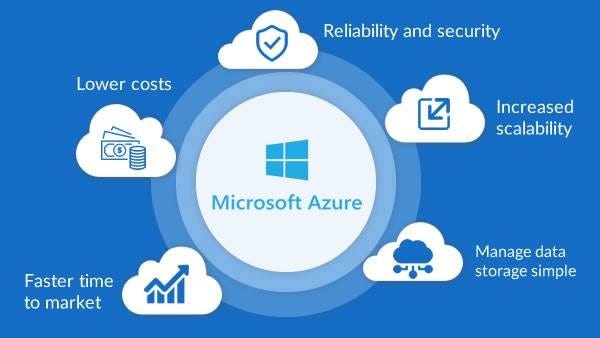
Azure is a popular choice for businesses of all sizes, from small startups to large enterprises. It is used by many organizations, including Microsoft, NASA, and Samsung. It offers pay-as-you-go pricing, which makes it cost-effective for businesses. Azure is a reliable platform that is backed by a 99.9% uptime SLA. It also provides 24/7 support from Microsoft. Azure is constantly evolving, with new features and services being added regularly. This makes it an exciting platform to work with. If you're looking for a cloud platform to build your next project on, Azure is a great option.
Azure offers many features and services that make it an attractive option for businesses of all sizes, including:
- A wide range of tools and services: Azure offers a
comprehensive set of tools and services to help you get the most out of the
cloud.
- A flexible and scalable platform: Azure is a flexible and
scalable platform that can be used for a variety of workloads.
- An easy-to-use platform: Azure is an easy-to-use platform that makes it simple to get started with the cloud.
- A secure environment: Azure provides a secure environment for businesses to build and deploy applications and services.
- A global network: Azure has a global network of data centers that provides businesses with the flexibility to choose the location that best meets their needs.
-Azure Virtual Machines: Virtual machines running in Azure
that can be used for a variety of workloads, such as web servers, databases,
and more.
-Azure App Service: A platform for hosting web apps, mobile apps, REST APIs, and more.
-Azure SQL Database: A managed relational database service.
-Azure Storage: A scalable storage service for data storage and backup. -Azure Active Directory: A identity and access management service.
-Azure Cosmos DB: A globally distributed database service.
-Azure Functions: A serverless computing platform. Azure is
a flexible and scalable platform that can be used for a wide variety of
workloads. In addition, Azure offers a variety of services that can be used to
build, test, deploy, and manage applications.
Some of the advantages of Azure include:
-Azure is a highly scalable platform that can easily
accommodate changes in demand.
-Azure offers a pay-as-you-go pricing model, which means you
only pay for the resources you use.
-Azure offers a wide variety of services, which makes it a one-stop shop for all your cloud computing needs. Azure is a reliable platform with a 99.95% uptime SLA.
-Azure is a secure platform with built-in security features
such as authentication and authorization, data encryption, and a firewall.
-Azure is a flexible platform that supports multiple
programming languages, frameworks, and devices.
If you're considering moving to the cloud, or if you're just curious about what it has to offer, Microsoft Azure is a leading option worth exploring.
AZURE vs AWS
There is no definitive answer to this question as it depends on the specific needs of the user. However, in general, Azure is considered to be more comprehensive and easy to use, while AWS is considered to be more flexible and cost-effective.
So, how can you get started with Azure?
- First, you need to create an Azure account. You can do this at https://azure.microsoft.com/.
- Once you have an account, you can start creating your first Azure application. There are two ways to develop Azure applications: using the Azure Portal or using Visual Studio.
- If you're just getting started, the Azure Portal is the easiest way to create an Azure application. The portal provides a convenient, point-and-click interface for creating and deploying Azure applications.
- If you're more comfortable with code, you can use Visual Studio to develop your Azure applications. Visual Studio is a powerful IDE that makes it easy to develop, debug, and deploy Azure applications.
- Once you've created your Azure account and chosen your development environment, you're ready to start building Azure applications.
Here are a few resources to help you get started:
The Azure quickstart guides provide step-by-step instructions for common Azure tasks.
The Azure developer center provides comprehensive documentation for developing Azure applications. The Azure forums are a great place to ask questions and get help from the Azure community.
Happy coding!



0 Comments